
You are using an out of date browser. It may not display this or other websites correctly.
You should upgrade or use an alternative browser.
You should upgrade or use an alternative browser.
Connect to the same WIFI,connect Anywhere?
- Thread starter qq247540
- Start date

Hi qq247540,
Please check both devices IP addresses. If they share the same local network (for example both start with 192.168.1.X or 192.168.100.X) P2P should work without problems.
Since there were no changes in this area in 1.39.8 update there must be another explanation to this.
You can downgrade to 1.39.7 using the previous installer:
Connect Anywhere is not needed for same network connections and almost always P2P will be used.
The only possibility for it to not work would be when something blocks Remotly from checking that both devices are in the same network. Remotly uses it's own external STUN server to do this. If something goes wrong here Connect Anywhere will be used.
Please check these options:
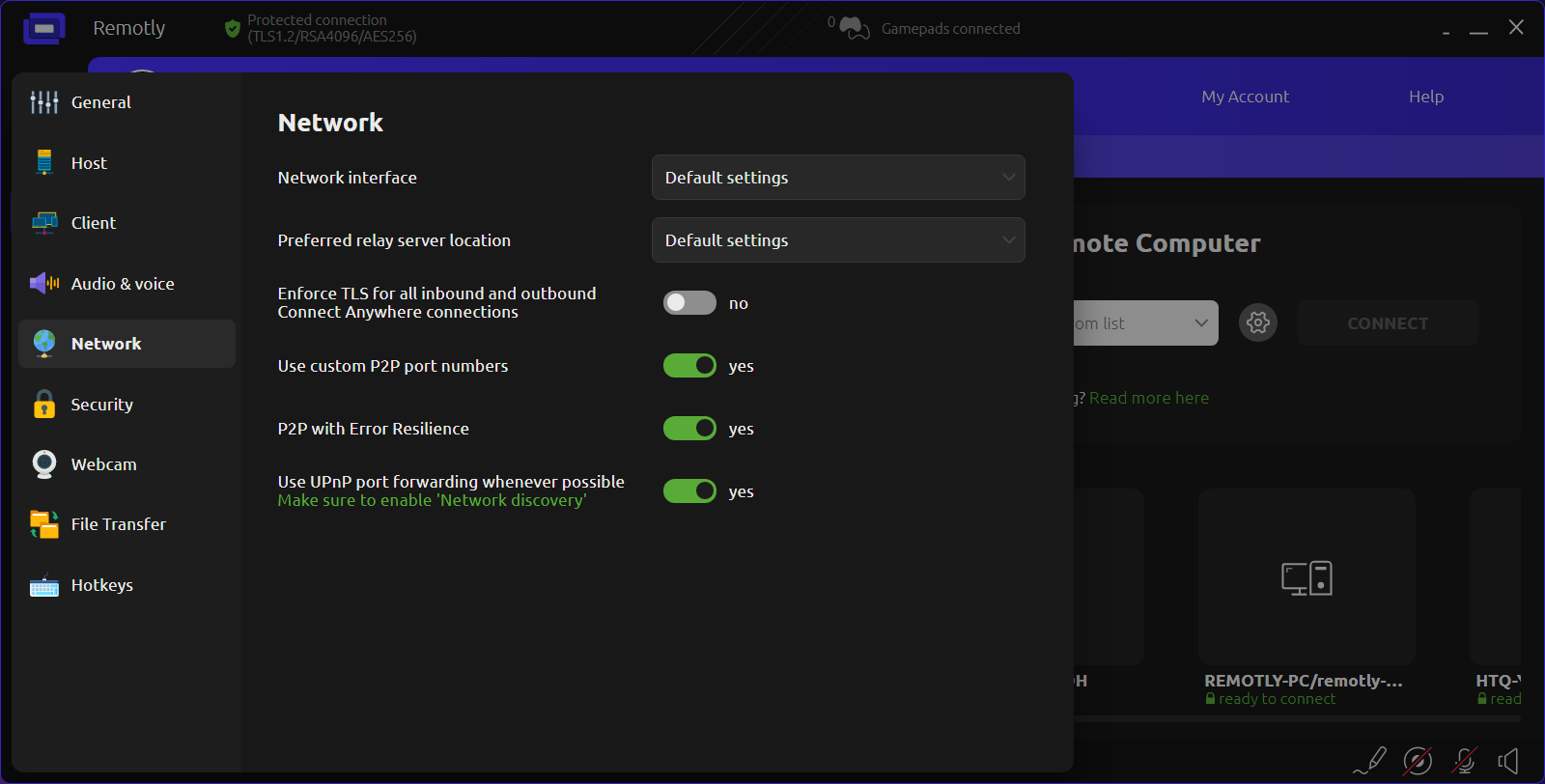
Try enabling UPnP so that Remotly can force your network router to use P2P for all local connections.
Please check both devices IP addresses. If they share the same local network (for example both start with 192.168.1.X or 192.168.100.X) P2P should work without problems.
Since there were no changes in this area in 1.39.8 update there must be another explanation to this.
You can downgrade to 1.39.7 using the previous installer:
Connect Anywhere is not needed for same network connections and almost always P2P will be used.
The only possibility for it to not work would be when something blocks Remotly from checking that both devices are in the same network. Remotly uses it's own external STUN server to do this. If something goes wrong here Connect Anywhere will be used.
Please check these options:
Try enabling UPnP so that Remotly can force your network router to use P2P for all local connections.
It is ok now ,I think there are still issues with how your system detects the local network; sometimes the connection is even lost while on the same Wi-Fi network, which is completely absurd.Hi qq247540,
Please check both devices IP addresses. If they share the same local network (for example both start with 192.168.1.X or 192.168.100.X) P2P should work without problems.
Since there were no changes in this area in 1.39.8 update there must be another explanation to this.
You can downgrade to 1.39.7 using the previous installer:
Connect Anywhere is not needed for same network connections and almost always P2P will be used.
The only possibility for it to not work would be when something blocks Remotly from checking that both devices are in the same network. Remotly uses it's own external STUN server to do this. If something goes wrong here Connect Anywhere will be used.
Please check these options:
View attachment 380
Try enabling UPnP so that Remotly can force your network router to use P2P for all local connections.
Hi qq247540,
"I think there are still issues with how your system detects the local network; sometimes the connection is even lost while on the same Wi-Fi network, which is completely absurd."
You are 100% right. Currently our system does not distinguish LAN and WAN connections. External network access is needed to maintain connection with state servers etc. Losing WAN access for more than 10 seconds might drop local P2P connection.
We are going to improve this soon. WAN access after establishing local connection will no longer be needed.
It will be still needed for the initial connection (this will be improved later since it requires big changes in the system architecture).
Sorry for this temporary inconvenience!
"I think there are still issues with how your system detects the local network; sometimes the connection is even lost while on the same Wi-Fi network, which is completely absurd."
You are 100% right. Currently our system does not distinguish LAN and WAN connections. External network access is needed to maintain connection with state servers etc. Losing WAN access for more than 10 seconds might drop local P2P connection.
We are going to improve this soon. WAN access after establishing local connection will no longer be needed.
It will be still needed for the initial connection (this will be improved later since it requires big changes in the system architecture).
Sorry for this temporary inconvenience!