Hi!
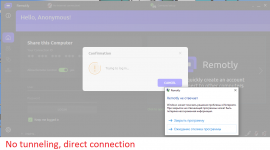
I get an error "No internet connection" while Remotly tries to login me, and then app freezes.
I live in Russia, so looks like our Federal Service for Supervision of Communications, Information Technology and Mass Media (Roskomnadzor) has blocked Remotly servers. The Remotly website is also inaccessible.
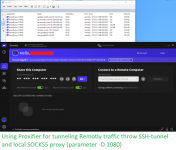
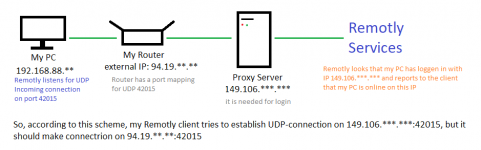
I have to use 3rd-party software for tunneling Remotly traffic and continue using Remotly. It allows me to login, but it probably affects P2P-connections (I have opened port 42015 on my router, and sometimes I can establish P2P-connection instead of Connect Anywhere).
So, I wonder if there is a feature to set up proxy server in Remotly settings? If no, could you please add it?
I get an error "No internet connection" while Remotly tries to login me, and then app freezes.
I live in Russia, so looks like our Federal Service for Supervision of Communications, Information Technology and Mass Media (Roskomnadzor) has blocked Remotly servers. The Remotly website is also inaccessible.
I have to use 3rd-party software for tunneling Remotly traffic and continue using Remotly. It allows me to login, but it probably affects P2P-connections (I have opened port 42015 on my router, and sometimes I can establish P2P-connection instead of Connect Anywhere).
So, I wonder if there is a feature to set up proxy server in Remotly settings? If no, could you please add it?