

Hi Everyone,
We are proud to announce that the biggest Remotly update is now available!
This update is huge and brings architectural changes. CEF (Chromium Embedded Framework) is gone from all Remotly PC (and future macOS and Linux) versions. Why this decision:
- Potential security issues that are outside of our control. As you probably know latest AI assisted attacks target many popular frameworks. To eliminate any potential vulnerabilities originating from CEF we are just getting rid of it (as you may already know other platforms like Discord have also announced this step).
- Bloatware. By getting rid of CEF the size of Remotly installation files was reduced from 2x (full version) to 3x (Remotly QuickHost).
- Faster startup. The memory usage has been significantly reduced and less files have to be loaded during Remotly startup.
- Native UI rendering improves overall user experience.
Other changes include:
- P2P connections now work in situations where they switched to Connect Anywhere relays in previous versions.
- Remotly host now adds a new "GPU sharing" tab.
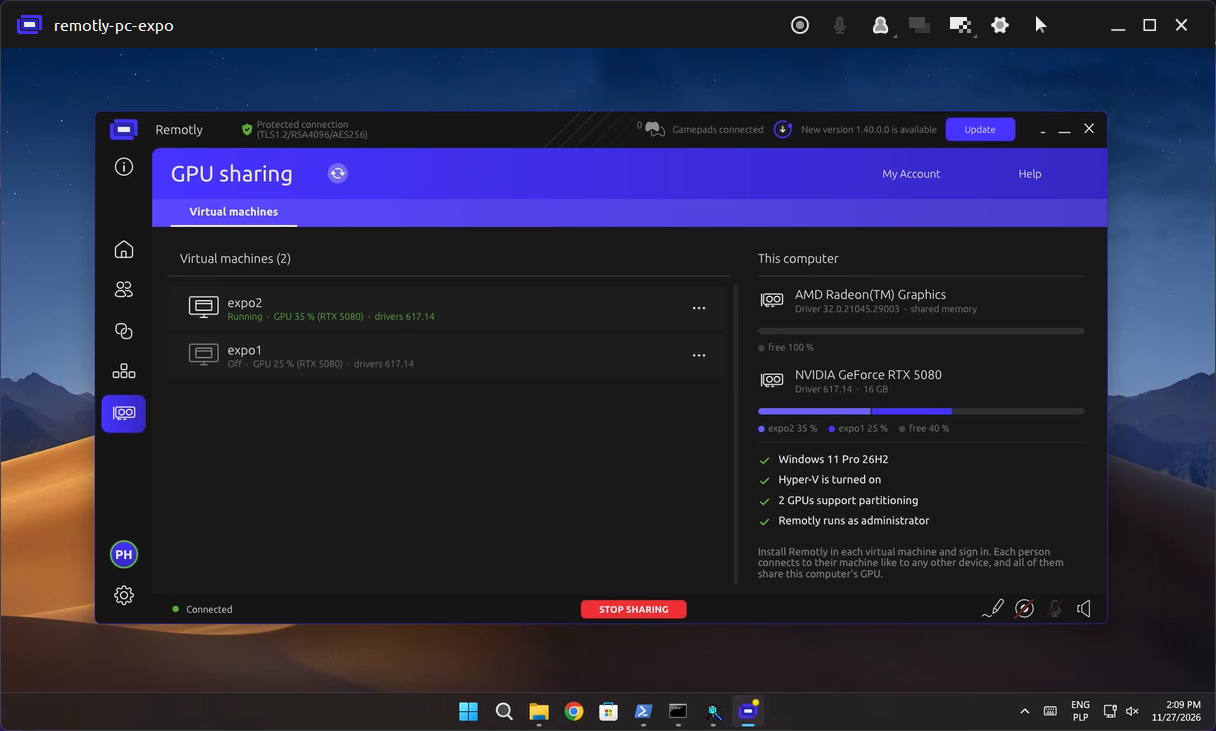
Now you can set multiple virtual PCs that will use one high performance GPU (like RTX 5080 in the example above). You can even set how much of the GPUs power each individual virtual machine will use.
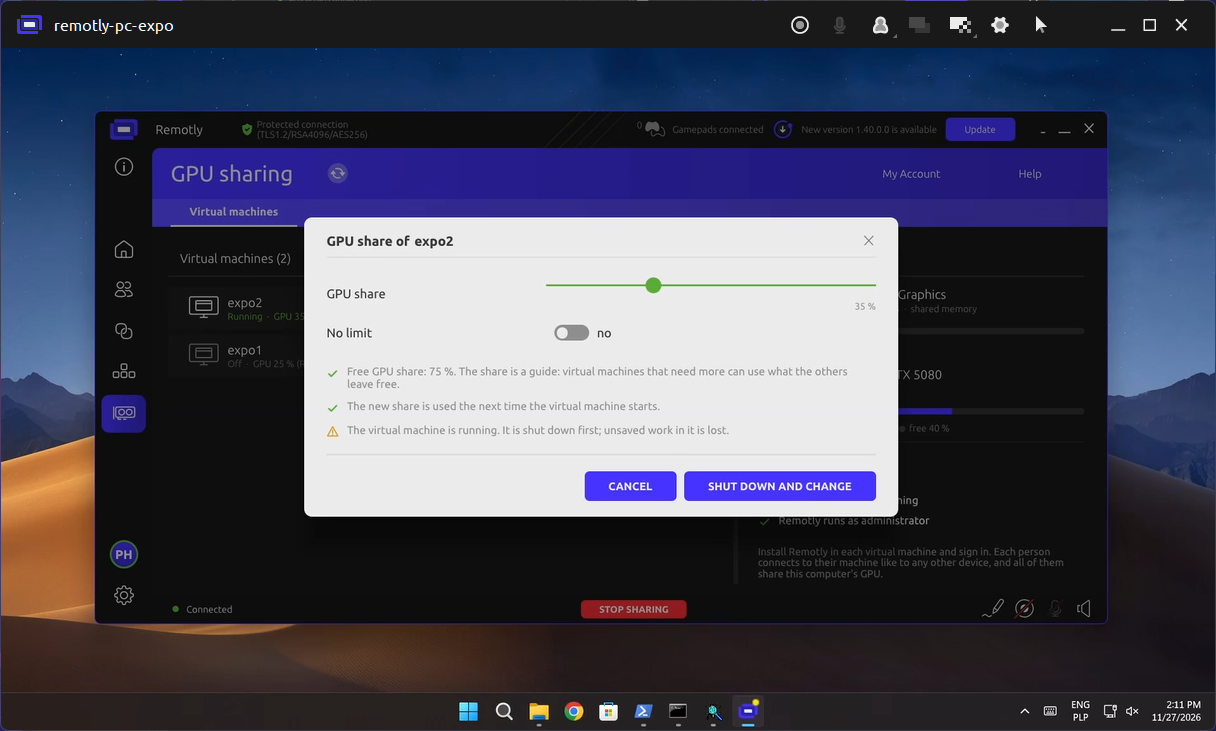
After updating drivers on the physical machine you can easily synchronize them with all virtual machines to make them work just like the physical computer:
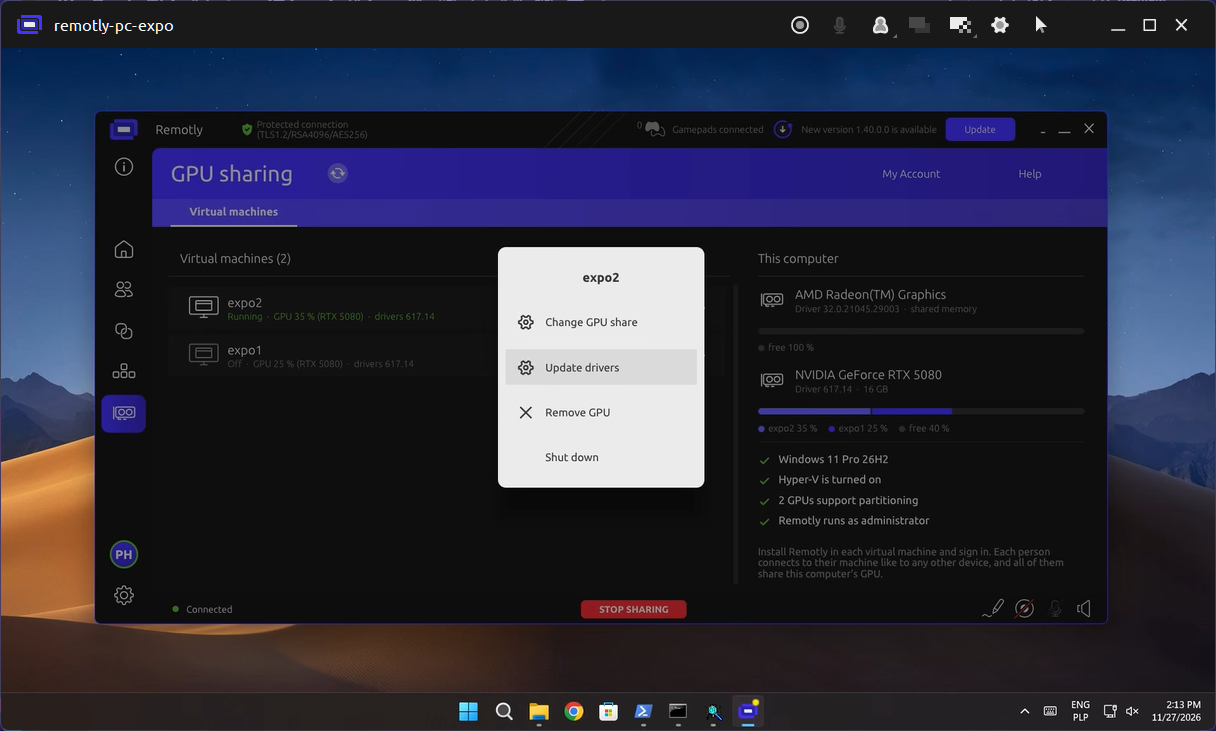
There is no limit on the number of GPUs that can be used. If you have two Nvidia RTX 2080 installed in on PC you can assign each of them to different virtual machines exclusively.
With this function Remotly allows you to lower the cost of your hardware setup. Multiple users (at home or office) can have access to a high performance PC with a powerful GPU. They can access them either from any low power PC/macOS laptop or mobile Android/iOS device.
Please remember to install Remotly on all virtual machines and allow other users to log into their own Remotly account. Also make sure to use Remotly Virtual Display and Audio drivers to achieve the best performance. We advise to disable displays rendered by Microsoft Hyper-V Display Adapter and only use rendering by the shared GPU via Remotly Virtual Display adapter. This way you can set up to 240fps and HDR for any virtual machine!
- For administrators. You can now use full Microsoft Entra ID integration with Remotly QuickHost. You can also generate tokens in the admin panel and deploy Remotly QuickHost from command line with automatic device registration in the admin panel device list.
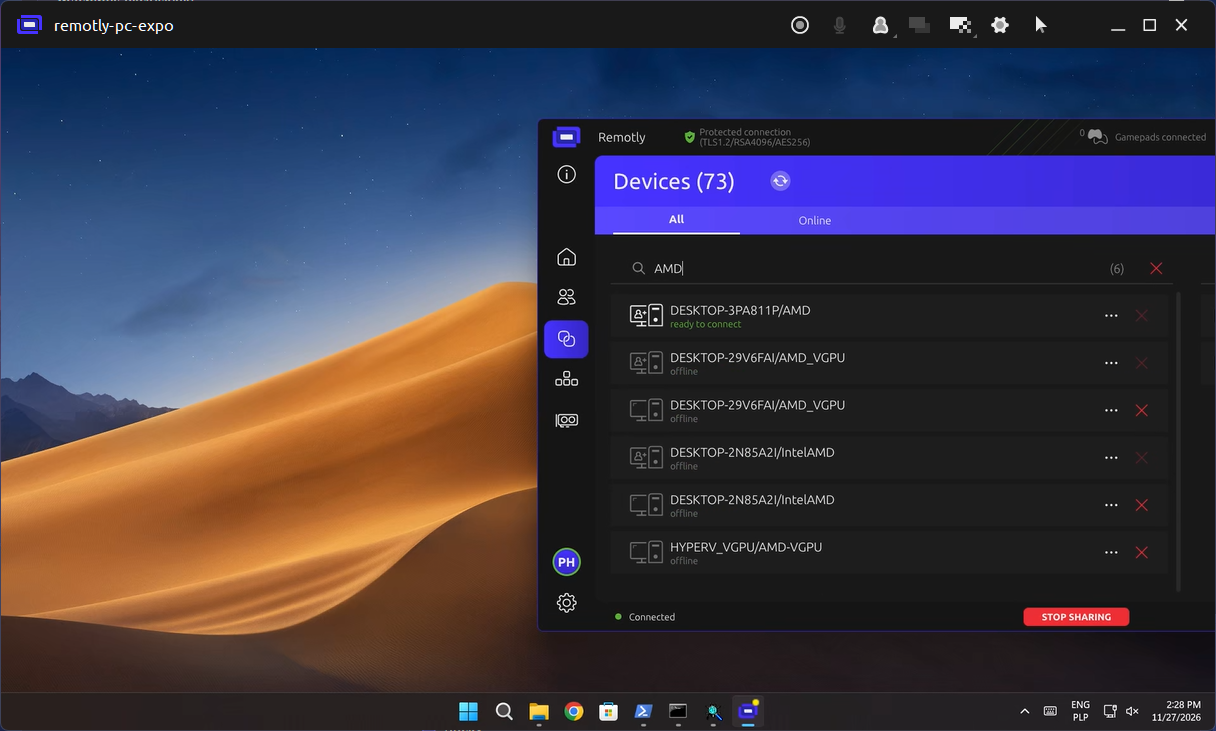
- In Device List view you can now use device filtering by name and there is an additional "Online" tab that allows showing only online devices:
We hope you will enjoy using this new big update!
We are proud to announce that the biggest Remotly update is now available!
This update is huge and brings architectural changes. CEF (Chromium Embedded Framework) is gone from all Remotly PC (and future macOS and Linux) versions. Why this decision:
- Potential security issues that are outside of our control. As you probably know latest AI assisted attacks target many popular frameworks. To eliminate any potential vulnerabilities originating from CEF we are just getting rid of it (as you may already know other platforms like Discord have also announced this step).
- Bloatware. By getting rid of CEF the size of Remotly installation files was reduced from 2x (full version) to 3x (Remotly QuickHost).
- Faster startup. The memory usage has been significantly reduced and less files have to be loaded during Remotly startup.
- Native UI rendering improves overall user experience.
Other changes include:
- P2P connections now work in situations where they switched to Connect Anywhere relays in previous versions.
- Remotly host now adds a new "GPU sharing" tab.
Now you can set multiple virtual PCs that will use one high performance GPU (like RTX 5080 in the example above). You can even set how much of the GPUs power each individual virtual machine will use.
After updating drivers on the physical machine you can easily synchronize them with all virtual machines to make them work just like the physical computer:
There is no limit on the number of GPUs that can be used. If you have two Nvidia RTX 2080 installed in on PC you can assign each of them to different virtual machines exclusively.
With this function Remotly allows you to lower the cost of your hardware setup. Multiple users (at home or office) can have access to a high performance PC with a powerful GPU. They can access them either from any low power PC/macOS laptop or mobile Android/iOS device.
Please remember to install Remotly on all virtual machines and allow other users to log into their own Remotly account. Also make sure to use Remotly Virtual Display and Audio drivers to achieve the best performance. We advise to disable displays rendered by Microsoft Hyper-V Display Adapter and only use rendering by the shared GPU via Remotly Virtual Display adapter. This way you can set up to 240fps and HDR for any virtual machine!
- For administrators. You can now use full Microsoft Entra ID integration with Remotly QuickHost. You can also generate tokens in the admin panel and deploy Remotly QuickHost from command line with automatic device registration in the admin panel device list.
- In Device List view you can now use device filtering by name and there is an additional "Online" tab that allows showing only online devices:
We hope you will enjoy using this new big update!