Hi iridescenties,
We will do our best to figure out what is causing this problem.
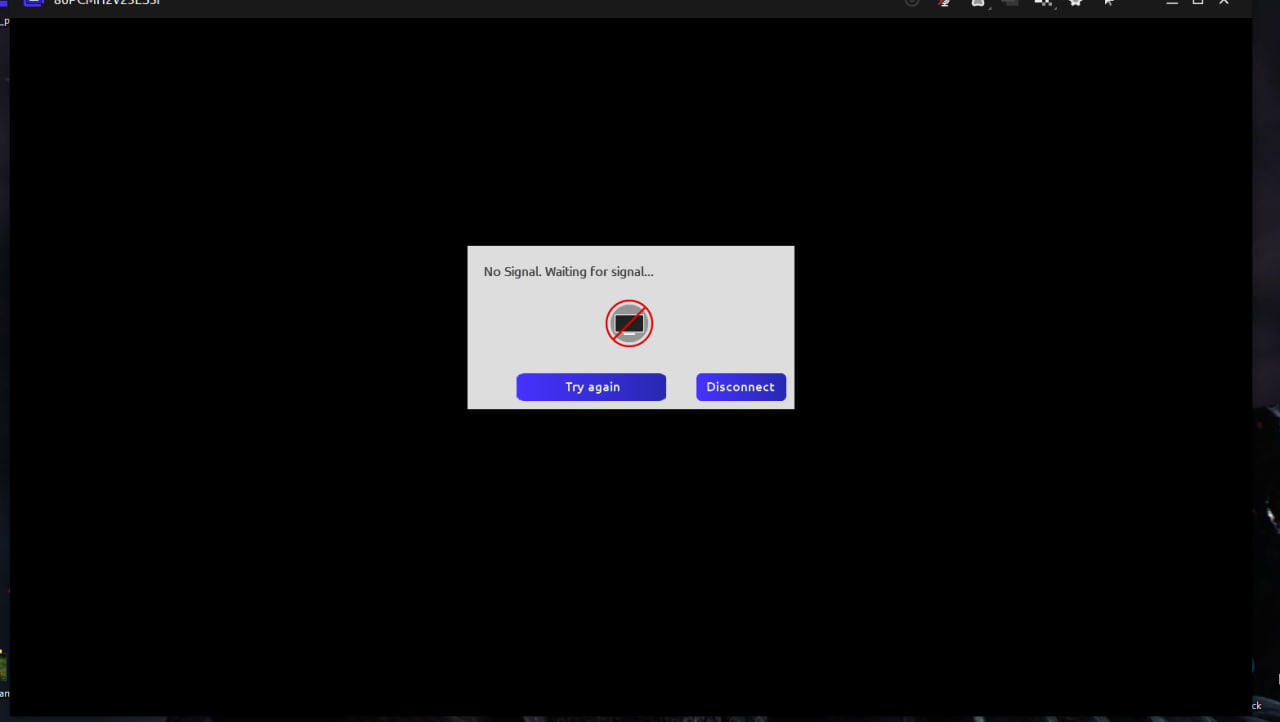
Please let us know what is happening when you press "try again" in the "no signal" popup. This should switch to a software only compatibility mode and you should see video.
You can also force compatibility mode from connection settings on the client side.
Can you let us know what is the resolution of the display on the host side you connect to?
So I've tried all possibilities for a few days, but nothing seems to work.
1. When I press "Try again" nothing happens, the button itself seems inactive, but the "disconnect" button is working, not sure why.
2. I tried to set compatability mode in the general settings as well as the settings of the computer I'm connecting to, still to no avail.
3. I've tried changing the connecting bitrate speed, fps and the quality of the video, even 480 doesn't seem to work.
What's strange is that when I tried to connect the other way around - from host PC to mine, it works just fine. My display resolution is 1920x1080, so is the hosts. My internet is 50 mbit, the hosts is 1gbit. Other remote connect applications seem to work just fine. I've tried all aforementioned with the 1.39.4 version, as well as 1.39.3, 1.32.0., 1.35.0.